Send files that only the right person can open
CryptDrop encrypts files in your browser using OpenPGP — the same standard trusted by journalists, security professionals, and governments. No servers. No sign-ups. No file uploads.
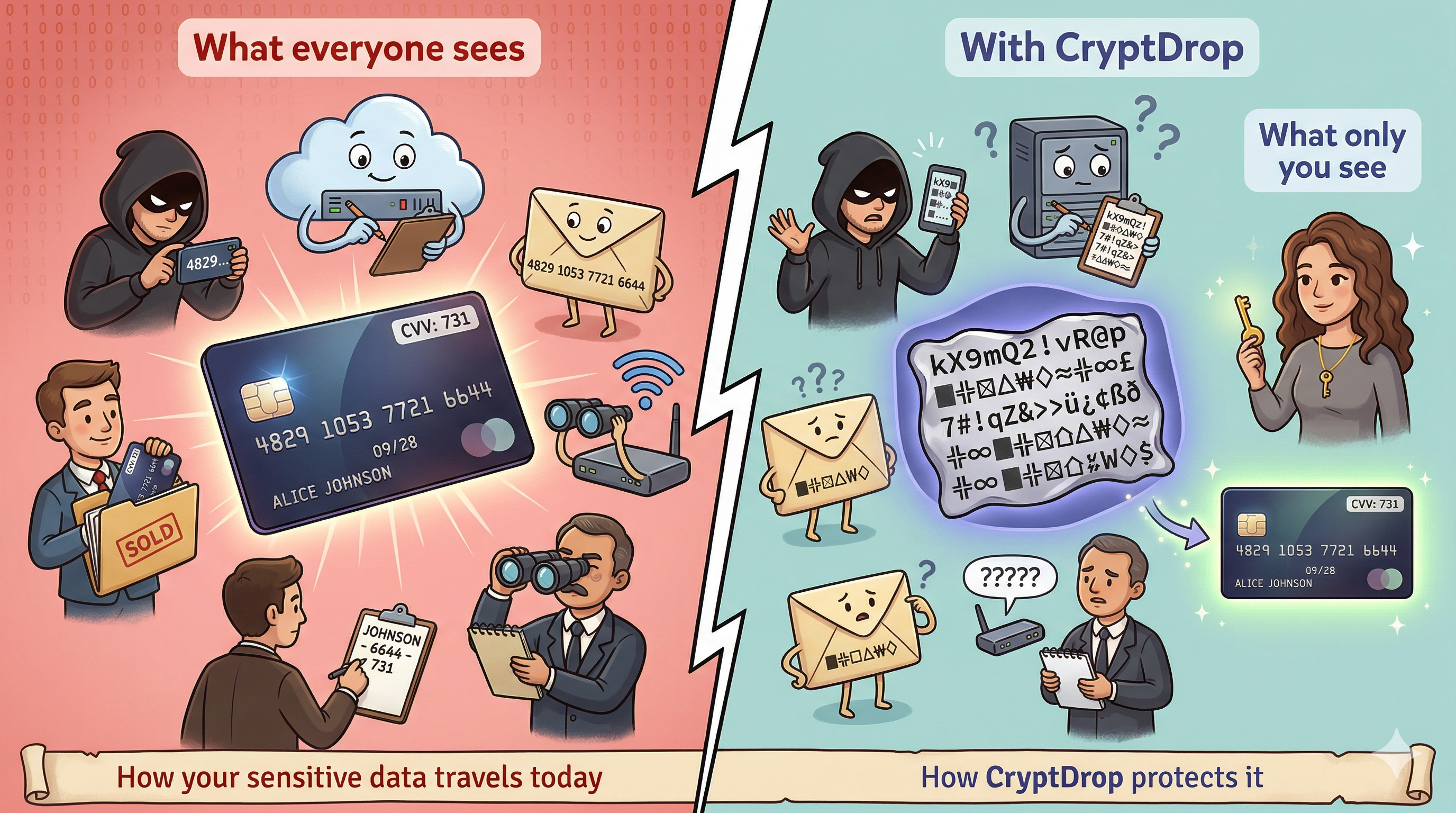
The problem with sending files today
Every file you share online passes through routers, servers, and services you don't control. Any one of them could read, copy, or leak your data.
Email isn't private
Email providers can read your attachments. Forwarded messages lose all control. There's no guarantee only your recipient sees the file.
Cloud links can leak
Shared links can be guessed, forwarded, or accessed by platform employees. Revoking access after the fact is damage control, not prevention.
No way to verify the sender
Standard file sharing has no built-in way to prove who actually sent a file or whether it was modified in transit.
CryptDrop solves this
Encrypt any file so that only the person you choose can open it. Sign it so they can verify it came from you. All in your browser.
End-to-end encryption
Files are encrypted with the recipient's public key. Only their private key can decrypt it — not CryptDrop, not your ISP, not anyone in between.
Digital signatures
Sign files with your private key to prove authenticity. The recipient can verify the file came from you and wasn't tampered with.
100% browser-based
Nothing is uploaded to any server. Encryption and decryption happen entirely on your device using the OpenPGP.js library.
Public key discovery
Find anyone's public key by email using the keys.openpgp.org keyserver. No need to exchange keys manually.
Zero-knowledge architecture
CryptDrop has no backend, no database, no analytics. There is literally nothing to breach because we store nothing.
No account required
Generate keys, encrypt, and decrypt — all without signing up, logging in, or providing any personal information.
How it works in three steps
Generate your keys
Create a key pair in seconds. Your public key lets others encrypt files for you. Your private key stays on your device, protected by a passphrase.
Encrypt & sign
Find the recipient's public key by email, drop in your file, and click encrypt. The file is locked so only they can open it, and signed to prove it's from you.
Decrypt & verify
The recipient loads their private key, drops in the encrypted file, and it's decrypted instantly. The signature is verified automatically.
How CryptDrop compares
| CryptDrop | Cloud Storage | Messaging Apps | ||
|---|---|---|---|---|
| End-to-end encrypted | ✓ | ✗ | ✗ | ✓ * |
| Files stay on your device | ✓ | ✗ | ✗ | ✗ |
| Sender verification | ✓ | ✗ | ✗ | ✗ |
| No account required | ✓ | ✗ | ✗ | ✗ |
| No server storage | ✓ | ✗ | ✗ | ✗ |
| Open standard (OpenPGP) | ✓ | ✗ | ✗ | ✗ |
| Encrypt & decrypt offline | ✓ | ✗ | ✗ | ✗ |
* Some messaging apps offer E2E encryption for messages, but typically not for file transfers, and lack sender verification via cryptographic signatures.
Your files. Your keys. Nobody in between.
CryptDrop is free, open-source, and runs entirely in your browser. Start sending secrets safely.